Delete Your Account
You may want to delete your account for any number of reasons, but before you proceed, please understand the following:
- Only the account holder can delete the account. We cannot delete it for you.
- You will not be able to restore or reactivate your account.
- Your username will be unavailable for this server forever. It can never be used again.
- Your posts and other data will be permanently removed.
- Content that has been cached by other servers may not be deleted immediately. This is due to how federation works, and how long it takes for the content to be deleted will vary from server to server.
There are other processes for deleting your personal data without deleting your account. The exact process varies depending on which data you wish to delete.
The steps to delete your account are as follows:
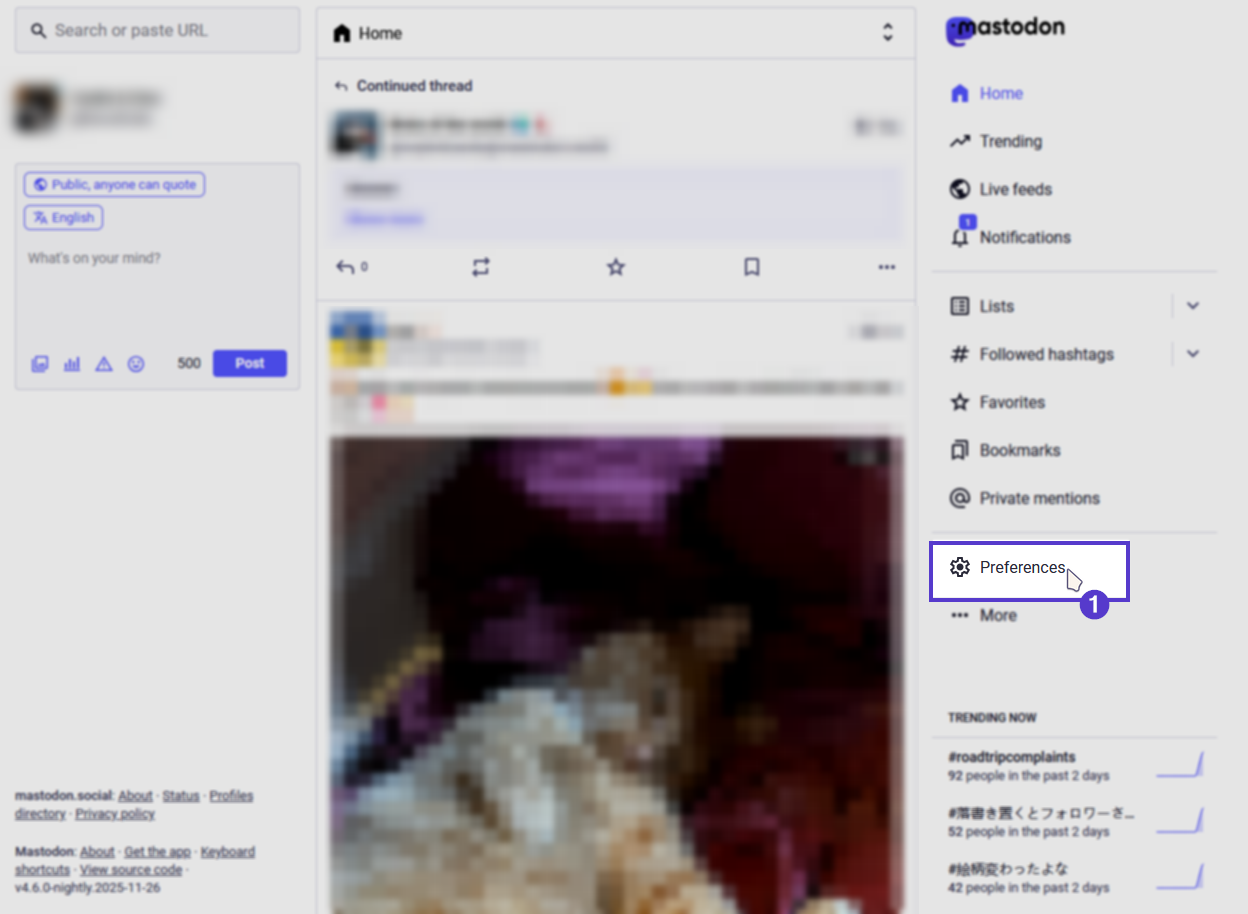
- Go to the preferences page.
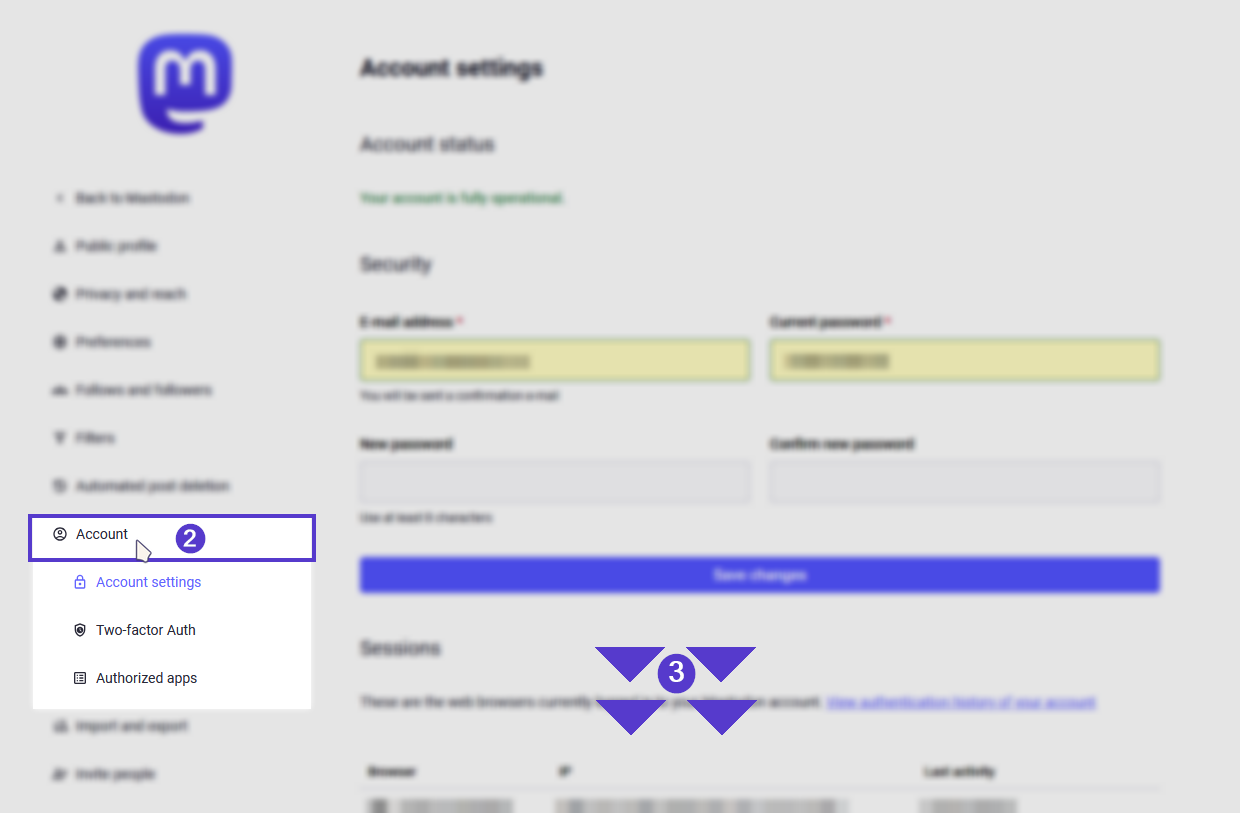
- Navigate to the "Account Settings" page.
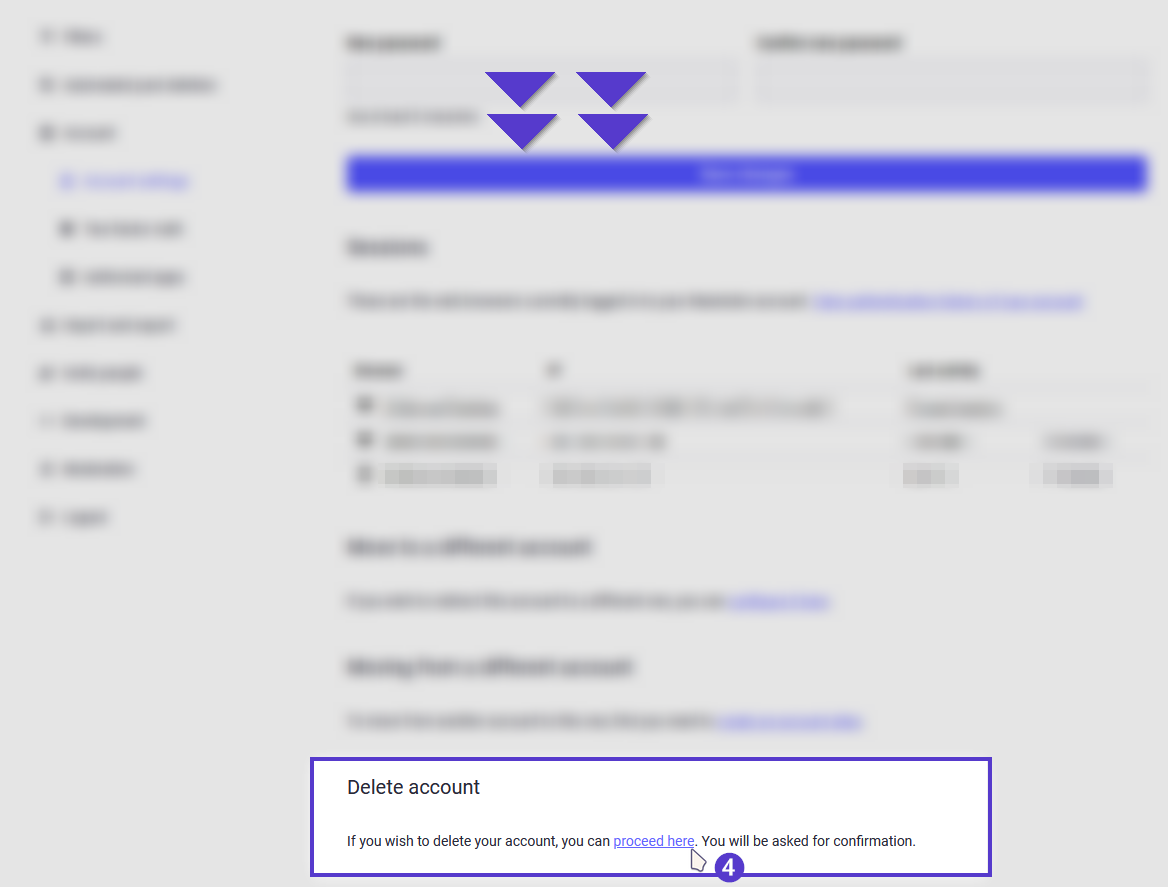
- At the bottom of the page under the “Delete Account” section, click on the hyperlinked text, "proceed here."
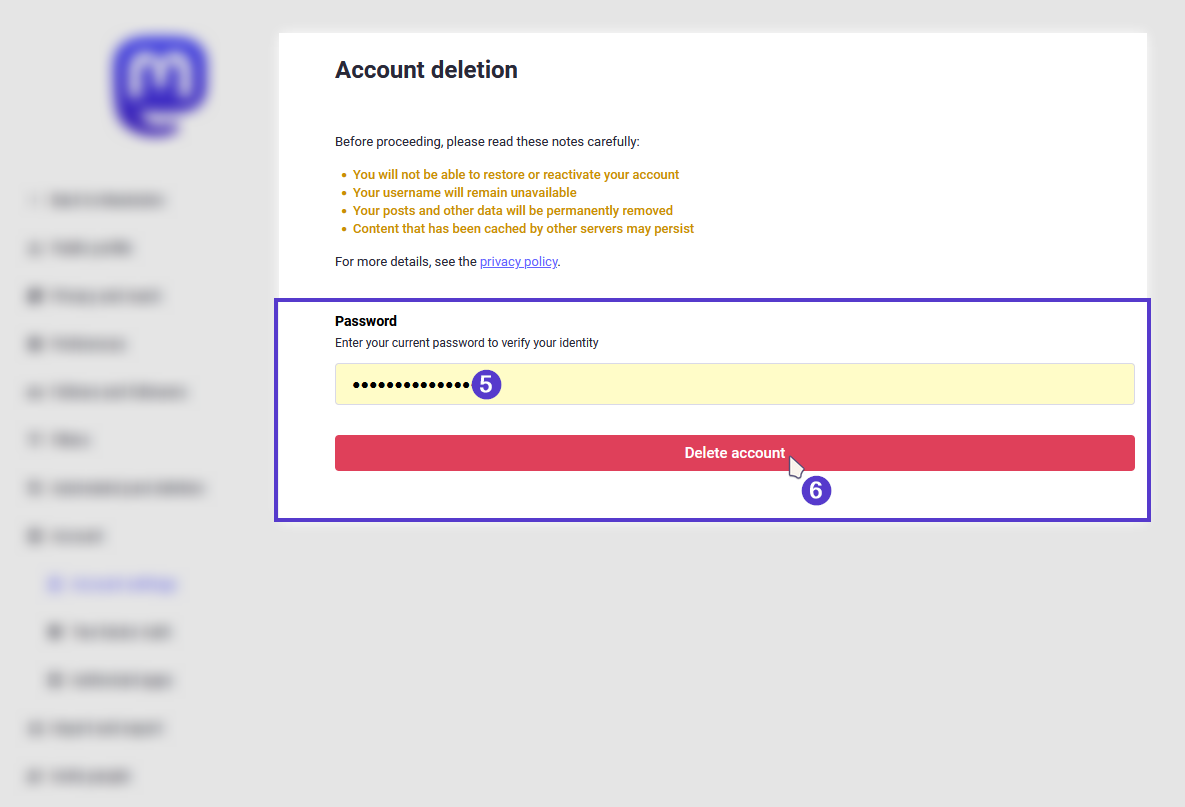
- You will be required to confirm your choices by filling in your password. Then click, “Delete account.”
- Your account has now been permanently deleted.